
Centralized Platform to Manage Accounting Remotely
QuickBooks License
Intuit Authorized QuickBooks Solution Provider

Why Buy QuickBooks Desktop License?
Buy QuickBooks by acquiring a genuine license code from Sagenext — an Intuit Authorized QuickBooks Solution Provider (QSP) with 15+ years of experience serving 15,000+ businesses. Purchasing through our SSAE-18 certified platform gives you access to genuine software with 256-bit encryption, 99.99% uptime, and 24/7/365 Microsoft Certified support. The flagship accounting software of Intuit offers end-to-end solutions for cash flow, inventory management, payroll, sales, billing, and invoicing.

Salient Features of the
Premium Accounting Application
 Unmatched reliability and data security.
 Persistent technological upgrades and updates.
 Round-the-clock technical support for comprehensive technical help.
 Multi-user interface with unlimited customer support.
 Accounting Reports with Cash Flow Management.
‘According to a recently conducted survey, it was identified that more than 29 million small and mid-sized businesses and almost 80% of the US market use QuickBooks licenses to manage their accounting operations.’
The Sagenext Advantage
With 15+ years in the industry, Sagenext has earned a reputation as a prime source for Intuit QuickBooks Licenses — backed by SSAE-18 certified infrastructure, SOC 2 compliant security, and transparent pay-per-use pricing with zero hidden fees. Whether you need QB Pro or Enterprise, we deliver.


QuickBooks License - All QB Desktop Editions At One Place

QuickBooks Enterprise is a high-end accounting solution for medium to large businesses with extensive features like Advanced Inventory, Job Costing Center and Customized Reporting… Learn more about QuickBooks Enterprise

QuickBooks Online is an advanced web-based accounting software that enables businesses to manage their accounting with high accuracy and efficiency while perpetually keeping their books updated to… Learn more about QuickBooks Online

Integrated QuickBooks Online Payroll is reliable and automated, offering you more flexibility and control in terms of finances and payroll management. Help your clients attain their business objectives without the… Learn more about QuickBooks Online Payroll
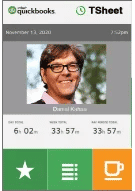
The most loved Time Tracking software for employees, QuickBooks TSheets allows you to easily and accurately track time from anywhere at any time. Implement QuickBooks Time to simplify your operations… Learn more about QuickBooks Time

A free hourly and salary paycheck calculator, QuickBooks Free Paycheck & Payroll Calculator allows you to accurately calculate the payouts of your employees. It empowers you to pay your employees on… Learn more about QuickBooks Payroll Calculator

Implement the free online invoice generator from QuickBooks to ease the process of billing and invoicing. Just enter your business info, customize your invoice details, and get the required invoice within seconds. Learn more about QuickBooks Invoice Generator
Client Testimonials
Genuine & Verified Customer Reviews from Top Rated Platforms

Kathryn Bruzas Hauer
Wilson David Corporation
I've used Sagenext for 3 years now, and words really can't describe how easy they make my life. I can do my clients' taxes anywhere, and all the data and documents are in one safe place. I've rarely ever had any problems, but in the rare instance I did, the Sagenext experts were right there to help. It's a must-renew on my list! Thank you.



Scott Facchetti
Facchetti & Facchetti, LTD
I was looking for an alternative to QuickBooks online for my accounting clients that either wanted live access to their QB file or wanted to participate in the data entry. SageNext's platform is extremely easy to use but more importantly their customer support is to notch. Whether myself, my staff, or the client who had a question or an issue, SageNext's customer support staff was available 7 days a week, 24/7 and very helpful. I highly recommend this company.


Ben Pang
Flex Taxible
I had a log in trouble with my program at my computer. Within a few minutes (less than 10), I got a fast response from their customer service line. Rick contacted me through email and we were able to fix the problem. He was very patient with me and walked me through everything! Overall, not only are you paying for a good product at a very fair market price, you are also getting really good customer service that speaks for itself. This is something that you do not get to hear often when you initially buy a product.

Dave Connelly
Group CCI LLC
As an IT service provider, we're always looking for reliable partners. Our migrations to Sagenext have been seamless and support excellent. Our clients love completing their tasks from anywhere with better performance and reliabilty. Dave Connelly Group CCI LLC North Carolina
Awards: Recognizing Quality & Customer Focus
Independent review platforms have recognised Sagenext four times for uptime, user experience and growth.




Trusted Partner: Expertise You Can Trust
Trusted Partners Play a Vital Role in Ensuring a Seamless Hosting Experience.
Each partner covers a specific part of the stack — storage, authentication, payments and remote access — so the environment stays stable without bolt-ons.


QuickBooks License FAQs
Here are some easy steps to find QuickBooks License Number:
- Open QuickBooks software.
- Now, press the F2 key or Ctrl+1 to let the program start up.
- Next, you will see a window with information about your QuickBooks copy.
- In the first line, you will see the version number.
- In the second line, you will see the license number.
- Under the third line, you will view the product number.
Read in detail: Find QuickBooks License and product key
To Transfer/Move QuickBooks Desktop to a new system, you can follow the given instructions:
- Open QuickBooks
- Go to the File Menu and click 'Utilities' and then click 'Move QuickBooks to Another Computer'.
- Click the option "I'm Ready", and then, create a OTP and
- Follow the instructions to select the USB flash drive you'll use. Then wait for the files to be copied.
In Oct 2021, Intuit discontinued the standalone QuickBooks desktop programs and introduced a subscription-based model for all its popular products.
The cost for QuickBooks Desktop depends on edition and total number of licenses that you wish to purchase. QuickBooks Pro Plus Single user license costs $549 + Taxes whereas QuickBooks Premier Plus license for one user is $799 + Taxes. As for QuickBooks Enterprise, the basic Silver Edition for one user cost $1128 + Taxes.
You can purchase QuickBooks License from Intuit's website or you can reach out to Sagenext, an Intuit Authorized QuickBooks Solution Provider. Visit the link https://www.thesagenext.com/buy-now , and complete the given form to initiate the process of purchasing QB license.
Yes, you need a license to use QuickBooks.
Intuit discontinued standalone QuickBooks Versions in October 2021. After that, QuickBooks is only available in subscription-based models and as a user, you need to renew your subscription every year to continue your service.
The pricing for QuickBooks applications is standard. However, you can get in touch with Intuit Authorized QuickBooks Solution Providers like Sagenext that can provide you some discount and help you save some money.